


EZ-Pass Ohio is the electronic toll system used on the Ohio Turnpike and across 19+ states. It lets drivers pass through toll plazas without stopping. A small transponder on your windshield sends a signal to overhead readers. Your prepaid account gets charged automatically. This system saves time, reduces stress, and offers toll discounts up to 33% compared to cash payments.
This page covers everything you need to know. You will learn how to log in, set up an account, activate a transponder, manage payments, and contact customer support. The guide uses simple words and clear steps so anyone can follow along.

EZPassOH Login: How to Access Your Account
Your EZPass Ohio login gives you full control of your account. From the dashboard you can check your balance, add money, update vehicle details, and view toll history. The process takes about two minutes once you have your login details ready.
The official website is www.ezpassoh.com. Type this address directly into your browser’s address bar. Never click links from emails or text messages that claim to be from EZ-Pass. Scammers create fake pages that steal login details. Only the official site is safe.
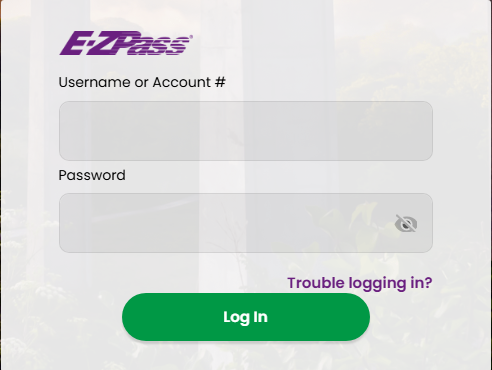
Look for the “Login” button at the top right of the homepage. Click it to open the login form. Enter the username or email tied to your account. Then type your password. Passwords are case-sensitive, so “TollPass25” differs from “tollpass25.”
Click the “Login” button. If your details are correct, you land on your account dashboard. From here you can perform any account task, from checking your balance to filing a dispute.
What If You Forget Your Password?
Click the “Forgot Password” link below the login form. Enter the email tied to your account. You will receive a reset link within minutes. Click the link and create a new password. Use 12 or more characters with letters, numbers, and symbols for the best security.
What If You Forget Your Username?
Click “Forgot Username” on the login page. Enter your email address. Your username gets sent to your inbox. If you no longer have access to that email, call customer support at 440-971-2222 for help.
Fixing EZ-Pass Ohio Login Problems
Login problems happen to most drivers at some point. The good news: most fixes take less than five minutes. Here are the top issues and how to solve them.
Wrong Password or Username
Double-check your typing. One wrong letter or number blocks your login. Make sure Caps Lock is off. Passwords are case-sensitive. If you cannot remember your details, use the reset links on the login page.
Browser Issues
Old browsers can cause page errors. Use Chrome, Firefox, Safari, or Edge with the latest updates. Clear your browser cache and cookies. Try a private or incognito window if the page still fails to load.
Internet Connection Problems
A weak signal stops the page from loading. Switch to a different network. Use your phone’s hotspot if Wi-Fi fails. Restart your router if you are at home.
Account Locked
Too many failed login attempts can lock your account. Wait 30 minutes and try again. If the lock persists, call customer support for help unlocking it.
Security Tips for Your EZ-Pass Ohio Account
Your account holds real money. Scammers target toll systems with fake texts and emails. Protect your account with these simple steps.
Use a Strong Password
Pick a password with 12 or more characters. Mix uppercase letters, lowercase letters, numbers, and symbols. Avoid names, birthdays, or simple words. A password manager helps you store strong passwords safely.
Turn On Two-Factor Login
Two-factor login adds a second step to your sign-in. After entering your password, you enter a code sent to your phone. This stops anyone who only knows your password from logging in.
Watch for Phishing
Real EZ-Pass messages come from addresses ending in @ezpassoh.com. Messages from other addresses are fake. Never click links in unsolicited texts or emails. Go to the website directly instead.
Enable Account Alerts
Turn on low balance alerts and login alerts in your account settings. You get a text or email when your balance drops or someone logs in. Quick alerts let you act fast if something looks wrong.
How to Sign Up for EZPass Ohio
Signing up for EZPass Ohio takes about 15 minutes. You can register online, by phone, or in person. Each method works for both personal and commercial accounts.
Online Sign Up
Visit www.ezpassoh.com and click “Sign Up.” Choose a personal or commercial account. Enter your name, address, phone, and email. Add your vehicle details, including license plate, make, model, and year. Set up a payment method. Fund your account with at least $25 for personal accounts or $50 for commercial accounts.
Sign Up by Phone
Call 440-971-2222 during business hours. A representative walks you through the same steps. Phone sign up works well for drivers who prefer talking to a person.
Sign Up In Person
Visit a customer service center or a partner retail store. Locations include Giant Eagle, Speedway, and Ohio Turnpike service plazas. You walk away with a transponder the same day. Bring your vehicle registration and a payment method.
Information You Need
Have these items ready before you start:
- Full legal name and address
- Phone number and email
- Vehicle license plate number
- Vehicle make, model, and year
- Credit card, debit card, or bank account for funding
- Driver’s license number (for commercial accounts)
- Business EIN (for commercial accounts)
Personal vs Commercial Accounts
Personal accounts work for cars, SUVs, motorcycles, and light trucks. Commercial accounts serve businesses with trucks, buses, and fleet vehicles. Commercial accounts need an EIN and a higher starting balance.
What Is EZ-Pass Ohio?
EZPass Ohio is the electronic toll system on the Ohio Turnpike (I-80 and I-90). The Ohio Turnpike stretches 241 miles across northern Ohio. It connects Indiana to Pennsylvania. EZPass uses RFID technology to read transponders and charge tolls without stopping. The system works across 19+ states through the E-ZPass network. Your Ohio transponder works in Pennsylvania, New York, New Jersey, Maryland, Virginia, West Virginia, Indiana, Illinois, and more. This saves time on long trips across state lines.
Main Benefits
- Toll discounts up to 33% off cash prices
- No stopping at toll booths
- Works in 19+ states with one transponder
- Online account management 24/7
- Auto-replenish so your balance never runs out
- Monthly statements for record keeping
- Lower violation risk compared to pay-by-plate
How Open Road Tolling Works
Ohio uses overhead gantries on parts of the turnpike. Sensors read your transponder as you drive at full speed. No booths, no gates, no slowing down. If you do not have a transponder, cameras photograph your license plate and mail a bill.
Activating a New EZPass Ohio Transponder
New transponders need activation before they work. The process takes about five minutes. Follow these steps to get rolling.
Step 1: Log In to Your Account
Go to www.ezpassoh.com and log in. If you do not have an account, sign up first. Your transponder must link to an active account.
Step 2: Register the Transponder
Find the serial number on the back of your transponder or on the packaging. In your account, click “Add Transponder.” Type the serial number and select the vehicle that will use it.
Step 3: Set Up Payment
Link a credit card, debit card, or bank account. Add at least $25 to start. Turn on auto-replenish so your account refills when it drops below your chosen threshold.
Step 4: Confirm Details
Check your vehicle plate number, transponder number, and balance. Everything must match your registration. Errors cause wrong toll charges.
Step 5: Mount the Transponder
Clean your windshield with alcohol wipes. Wait for it to dry. Stick the transponder 1 inch below the rearview mirror, centered on the windshield. Press firmly for 30 seconds.
Step 6: Test the Transponder
Drive through an EZ-Pass lane at a low-traffic plaza. Look for a green light or beep. Check your online account after the trip to confirm the toll charged correctly.
Transponder Price and Where to Buy
Current Pricing
Transponder costs depend on where you buy and your account type:
- Personal account at a retail store: about $12 for the transponder
- Personal account online: no separate transponder fee, $25 minimum balance
- Commercial account at a retail store: about $3 for the transponder
- Commercial account online: no separate fee, $50 minimum balance per transponder
Where to Buy
You can pick up a transponder at:
- Ohio Turnpike service plazas (Hiram, Strongsville, Blue Heron, Wyandot, Indian Meadow, Tiffin River, and others)
- Giant Eagle stores across Ohio
- Speedway gas stations
- Customer service centers in Berea, Amherst, and Swanton
- Online at www.ezpassoh.com (free shipping)
For the fastest option, visit a customer service center. You get help from staff and walk out ready to drive. For the cheapest option, order online and skip the retail fee.
Installing Your Transponder
Correct installation keeps your transponder working. Wrong placement causes missed tolls and violation notices.

Best Placement for Cars and SUVs
Mount the transponder 1 inch below the rearview mirror. Center it on the windshield. Avoid tinted strips at the top of the windshield. Avoid areas with metal or defroster lines.
Best Placement for Trucks
Trucks with high cabs may need an external mount. Check your transponder manual for truck placement. Most trucks mount the device on the lower windshield or bumper area.
Best Placement for Motorcycles
Motorcycles need a different mounting approach. Place the transponder on a flat surface like the windshield or fairing. External mounts work best for bikes.
Mistakes to Avoid
- Placing near metal that blocks the signal
- Mounting on tinted areas
- Skipping the windshield cleaning step
- Mounting too low or too high on the windshield
- Forgetting to activate before driving through tolls
Managing Your EZ-Pass Ohio Account
Your account dashboard puts you in control. Here are the key tasks you can do online.
Check Balance and Toll History
Log in to see your current balance. Your toll history shows every charge from the past 90 days. Look for errors, double charges, or trips you did not take. Report problems right away.
Update Personal Details
Change your address, phone, or email in the profile section. Keep your info current to avoid missed alerts or delayed transponder shipping.
Manage Payment Methods
Add, remove, or update credit cards, debit cards, and bank accounts. Keep at least one valid payment method on file to prevent account suspension.
Add or Remove Vehicles
Got a new car? Add the plate, make, model, and year. Sold an old car? Remove it from your account. Unlinked vehicles can cause toll mix-ups.
Set Up Auto-Replenish
Pick a balance threshold, like $10. When your account drops below that number, auto-replenish adds funds from your linked payment method. This stops balance-related violations.
Pay Unpaid Tolls
Missed a toll? Pay online through the toll payment portal. Unpaid tolls grow into violations with extra fees. Pay within 30 days to avoid extra charges.
EZ-Pass Ohio Fees and Charges
Knowing the fees helps you avoid surprises. Here is what to expect.#
Transponder Cost
$12 at retail locations for personal accounts. $3 at retail for commercial accounts. Online orders often include the transponder with your starting balance.
Monthly Account Fee
Ohio does not charge a monthly fee for standard accounts. Some multi-state plans have small monthly fees for added features.
Statement Fees
Paper statements cost $1 per month. Electronic statements are free. Switch to paperless in your settings to save money.
Returned Payment Fee
If your bank account or card declines, EZPass charges a returned payment fee. Keep your payment info current to avoid this charge.
Violation Penalties
Driving through tolls with no transponder and no pay-by-plate triggers a violation. Fines start at $25 and grow over time. A working transponder prevents these charges.
EZ-Pass Ohio Toll Calculator
The toll calculator helps you plan trip costs. Use it before any long drive.
How to Use the Calculator
Go to www.ezpassoh.com and click “Toll Calculator.” Enter your start point and end point on the Ohio Turnpike. Pick your vehicle type. The tool shows the EZPass price and cash price side by side.
Sample Trip Costs
Sample tolls from recent data:
- Cleveland to Toledo (full trip): about $12.50 with EZPass, $18 cash
- Columbus to Cleveland: about $8.75 with EZ-Pass , $12.50 cash
- Youngstown to Toledo: about $10.25 with EZ-Pass , $14.75 cash
- Indiana border to Pennsylvania border (full Ohio Turnpike): about $18.50 with EZPass, $26.50 cash
Commercial Vehicle Costs
Trucks pay based on axle count and weight. A 5-axle truck pays about 3 times the passenger car rate. The calculator adjusts based on these factors.
Mobile Apps for EZPass Ohio
No official EZPass Ohio app exists, but several third-party apps help. These apps let you check balances, review toll history, and get alerts on your phone.
Top Third-Party Apps
- EZ Tolls OH: balance checks, payment reminders, toll history
- NeoRide: plate-based tolling for non-transponder travel
- Whizkeys Tollroads: covers multiple state toll systems
What These Apps Do
- Show your current account balance
- Display recent toll transactions
- Send low balance alerts
- Help you find retail locations
- Provide toll cost estimates
Stick with apps rated 4 stars or higher. Read reviews before downloading. Never enter your login details into an app you do not trust.
Filing a Dispute on EZ-Pass Ohio
Wrong tolls happen. A misread plate, a system glitch, or a double charge can hit your account. Disputes fix these errors.
When to File a Dispute
- You see a toll for a trip you did not take
- The same toll charged twice
- The toll amount does not match the calculator
- Your transponder was mounted but did not read
- You were charged the cash rate instead of EZ-Pass rate
How to File
Visit the Ohio Turnpike refund portal at https://www.ohioturnpike.org/truckers/refund-request. Fill out the form with your name, contact info, violation number, date, and location of the toll. Upload your evidence: screenshots from the toll calculator, photos of your transponder mount, or any proof that you were not in that location.
Submit the form. You get a confirmation email. Most disputes resolve within 2-4 weeks. Follow up if you do not hear back in 30 days.
If Your Dispute Gets Denied
You can request a hearing through the appeals section on the EZPass Ohio website. A hearing lets you present your case in more detail. Bring all your evidence to the hearing.
EZPass Ohio Customer Service
Customer service helps with account problems, transponder issues, and dispute questions. Multiple contact options exist.
Phone Support
Call 440-971-2222 for direct help. Phone hours run Monday through Friday, 7:00 AM to 7:00 PM Eastern Time. Saturday hours run 8:00 AM to 1:00 PM Eastern Time. The office is closed on Sundays and major holidays.
Online Contact Form
Use the “Contact Us” form on www.ezpassoh.com for non-urgent questions. Replies take 1-2 business days.
Live Chat
Look for the chat button on the website during business hours. Live chat works well for quick questions about your balance or account status.
In-Person Help
Visit a customer service center for hands-on help. Locations include:
- Berea office: 682 Prospect Street, Berea, OH 44017
- Amherst office: 7800 Oak Point Road, Amherst, OH 44001
- Swanton office: 10045 Airport Highway, Swanton, OH 43558
Best Times to Call
Call early in the morning (7:00-8:00 AM) or late afternoon (5:00-6:00 PM) for shorter wait times. Avoid noon to 1:00 PM when lunch crowds call in.
EZ-Pass Ohio vs Other Toll Systems
Other toll systems exist across the U.S. Here is how they compare.
E-ZPass Network
EZPass Ohio is part of the E-ZPass network covering 19+ states. E-ZPass works across the East Coast, Midwest, and parts of the South. One transponder handles all your E-ZPass tolls.
E-Pass (Florida)
E-Pass works in Florida and across E-ZPass states. Florida drivers can use E-Pass for Ohio travel. Ohio drivers heading to Florida need an E-Pass or Uni transponder for full coverage.
EZ-Tag (Texas)
EZ-Tag covers Texas toll roads only. It does not work in Ohio. Drivers traveling between Texas and Ohio need both an EZ-Tag and an EZPass Ohio transponder.
I-PASS (Illinois)
I-PASS works in Illinois and across E-ZPass states. Illinois drivers can use I-PASS in Ohio. The two systems share the same network.
SunPass (Florida)
SunPass covers Florida only. Recent upgrades added some interoperability, but Ohio travel with SunPass alone is limited.
Uni Transponder
The Uni transponder is the newest option. It works across E-ZPass, E-Pass, SunPass, and other networks. Uni covers more states than any single transponder. It is the best choice for drivers who travel coast to coast.
Contact Details and Office Locations
EZ-Pass Ohio customer service is run by the Ohio Turnpike and Infrastructure Commission. Here is how to reach them.
Official Website: www.ezpassoh.com
Customer Service Phone: 1-440-971-2222
Phone Hours:
- Monday-Friday: 7:00 AM to 7:00 PM Eastern Time
- Saturday: 8:00 AM to 1:00 PM Eastern Time
- Sunday: Closed
- Holidays: Closed
Main Office Address:
Ohio Turnpike and Infrastructure Commission
682 Prospect Street
Berea, OH 44017
Main Phone: 440-234-2081
Frequently Asked Questions
These questions cover the most common EZPass Ohio topics. Each answer gives you clear, usable facts.
How do I recover my EZPass Ohio login password?
Click the “Forgot Password” link on the login page at www.ezpassoh.com. Enter the email tied to your account. You get a reset link by email within minutes. Click the link and create a new password. Use 12 or more characters with a mix of letters, numbers, and symbols. Do not reuse passwords from other accounts. After resetting, log in with your new password. Update your password manager if you use one. If the reset email does not arrive within 10 minutes, check your spam folder. Still no email? Call customer support at 440-971-2222 for manual help. The team verifies your identity and triggers a new reset link.
What should I do if I forget my EZPass Ohio username?
Click “Forgot Username” on the login page. Type your email address. Your username gets sent to your inbox if the email matches an active account. Lost access to your email? Call 440-971-2222. Support verifies your identity using your name, address, and payment details on file. They give you your username or update your email so you can log in again. Going forward, save your username in a password manager or a secure note on your phone. This stops future lockouts. Never share your username through email or text messages. Scammers use these tricks to break into accounts.
How do I activate a new EZ-Pass Ohio transponder?
Log in to your EZPass Ohio account. Click “Add Transponder” in the menu. Enter the serial number printed on the back of the device or on the packaging. Select the vehicle that will use the transponder. Confirm your vehicle plate, make, model, and year match your registration. Fund your account with at least $25 for a personal account or $50 for a commercial account. Turn on auto-replenish to keep your balance topped up. Mount the transponder on your windshield 1 inch below the rearview mirror. Drive through an EZPass lane to test. Check your toll history after the trip to confirm the charge posted correctly. Transponders activate within 24 hours of registration in most cases.
How do I dispute an incorrect toll charge?
Log in to your EZPass Ohio account. Open your toll history and find the charge you want to dispute. Take a screenshot for your records. Visit the Ohio Turnpike refund portal at https://www.ohioturnpike.org/truckers/refund-request. Fill out the dispute form with your name, contact info, violation number, date, and location of the toll. Upload your evidence: screenshots from the toll calculator, photos of your transponder mount, or any proof that you were not in that location. Submit the form. You get a confirmation email. Most disputes resolve within 2-4 weeks. If denied, request a hearing through the appeals section on the EZ-Pass Ohio website. The hearing lets you present more details to a reviewer.
How do I update my vehicle details in my EZ-Pass Ohio account?
Log in to your account dashboard. Click “Vehicles” or “Manage Vehicles.” Add a new vehicle by entering the license plate, make, model, year, and color. Save the new vehicle. Link any transponder to the correct vehicle. Remove old vehicles you no longer drive to prevent toll mix-ups. Check that each plate number matches your state registration exactly. One wrong digit can send tolls to the wrong vehicle or cause violations. Update your info after buying, selling, or trading a car. Commercial fleets should review vehicle lists monthly. New transponders for new vehicles cost the standard $12 at retail or are free with online orders.
Does EZPass Ohio work in other states?
Yes. EZPass Ohio works in 19+ states through the E-ZPass network. Covered states include Pennsylvania, New York, New Jersey, Maryland, Virginia, West Virginia, Delaware, Massachusetts, Rhode Island, New Hampshire, Maine, Indiana, Illinois, Kentucky, Ohio, and others. Your Ohio transponder reads at E-ZPass lanes in all these states. Tolls get charged to your Ohio account at the local rate. One account, one transponder, many states. For travel outside the E-ZPass network, you need a separate transponder. The Uni transponder works across E-ZPass, E-Pass, and SunPass networks. It is the best choice for drivers crossing multiple toll regions.
Can I use EZPass Ohio without a transponder?
Yes, through pay-by-plate. Ohio cameras photograph your license plate as you drive through tolls. The system matches your plate to your EZ-Pass account or mails a bill to the registered owner. Pay-by-plate rates are higher than transponder rates. The extra cost covers billing and processing fees. For the best price, use a transponder. It costs less per toll and works automatically. Pay-by-plate is a good backup for occasional drivers or rental cars. Some rental car companies offer their own toll programs. Check with your rental agency before driving through Ohio toll plazas to avoid surprise charges.
